Overview & Features
This page covers what Realistic Car Controller (RCC) is, what it includes, what it needs, and what changed in V6.0.0.
What RCC Is
Realistic Car Controller is a vehicle physics package for Unity by BoneCracker Games. It gives you drivable cars built on Unity's WheelCollider, plus cameras, lights, audio, damage, AI, customization, and desktop / gamepad / mobile controls.
RCC is the driving layer of a game, not a finished game template. You build tracks, menus, and progression yourself.
The current version is V6.0.0, a Long-Term Support (LTS) release: Unity compatibility and bug fixes, no new systems.
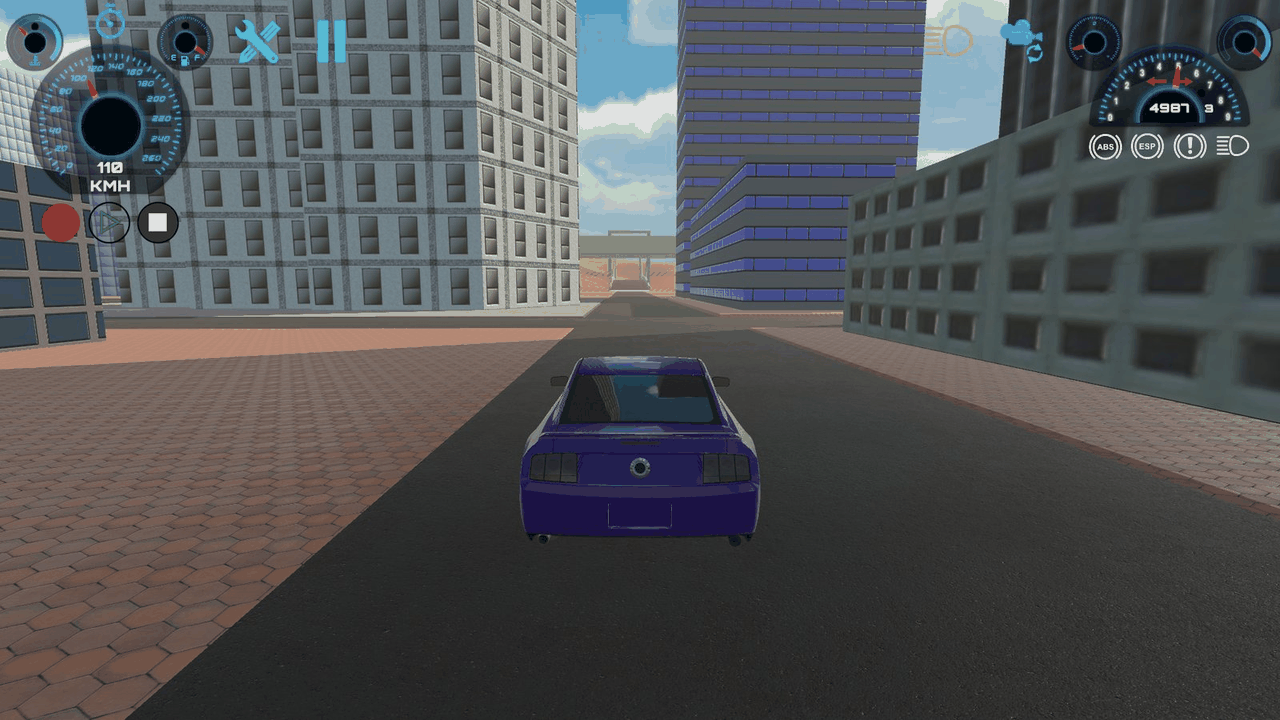
Features
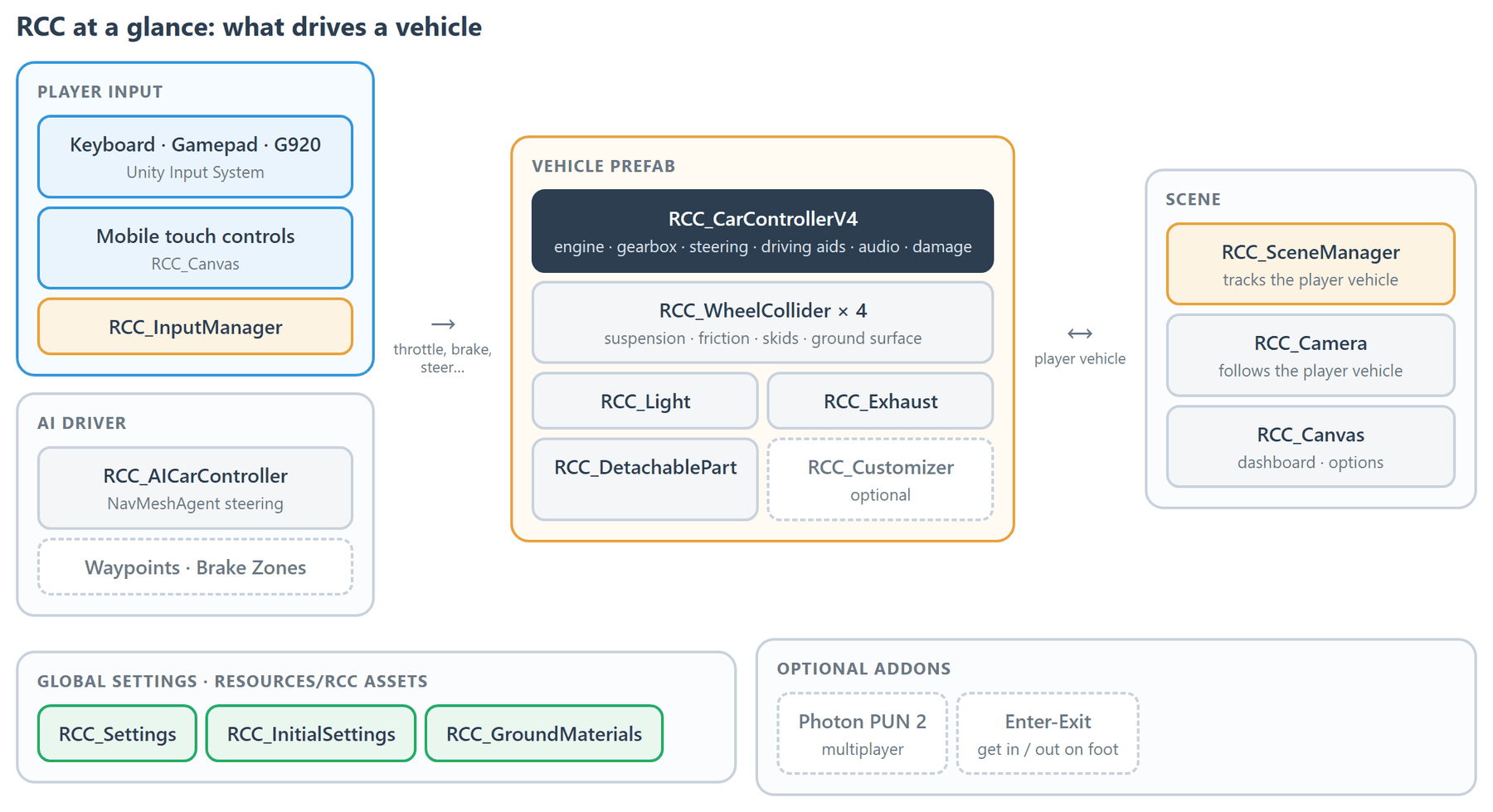
Vehicle Physics
- Drivetrain: FWD, RWD, AWD, or biased AWD. → Vehicle Inspector Reference
- Engine with torque curve, rev limiter, automatic or manual gearbox, and auto reverse. → Vehicle Inspector Reference
- Optional NOS, turbo, fuel consumption, and engine heat. → Vehicle Inspector Reference
- Driving aids: ABS, ESP, TCS, steering helper, traction helper, counter-steering, steering limiter. → Vehicle Inspector Reference
- Per-wheel suspension, friction curves, and tire deflation via
RCC_WheelCollider. → How WheelColliders Work - Global behavior presets (Balanced, Racing, Drift, Semi Arcade, Fun). → Behavior Presets
- Per-surface grip, skidmarks, and particles, including terrain textures. → Ground Physics
- Towable trailers. → Vehicle Inspector Reference
Damage
- Mesh deformation, wheel damage and detachment, light damage, and detachable parts (hood, doors, bumpers). → Damage System
- Repair by script with
RCC.Repair(). → Scripting API
Camera, Lights, Audio
- Camera modes: TPS, FPS (hood), Wheel, Fixed, Cinematic, Top. → Camera System
- Headlights (low / high beam), brake, reverse, indicator, park, and interior lights. → Lights System
- Engine audio with 1, 2, or 3 RPM layers, plus gear-shift, crash, and per-surface tire sounds. → Audio System
Input & Control
- Keyboard, gamepad, and Logitech G920 through the Unity Input System. → Input System
- Drive a vehicle from your own code (AI, replay, networking). → Overriding Inputs
- Mobile controls: touch buttons, tilt, on-screen steering wheel, or joystick. → Mobile Setup
- Racing wheel support. → Steering Wheel Support
AI
- AI modes: Follow Waypoints, Chase Target, Follow Target, with brake zones for corners. → AI System
Customization
- Paint, spoilers, wheels, decals, neon, sirens, and suspension / camber tuning at runtime. → Customization
- Engine, handling, brake, and speed upgrades, saved to PlayerPrefs. → Customization
Extras
- Record and replay, telemetry panel, rear-view mirrors, LOD, speed-limit zones, police siren. → Scripts Reference
- Events for spawn, destroy, and collision. → Events System
- Static
RCCAPI for spawning, registering the player vehicle, and switching cameras or presets. → Scripting API
Editor Tools
- Quick Vehicle Setup Wizard to turn a car model into a drivable vehicle. → How to Create New Vehicles
- Welcome Window, Render Pipeline Converter, and RCC Settings, all under Tools → BoneCracker Games → Realistic Car Controller. → RCC Settings
What's in the Package
Everything lives in Assets/RealisticCarControllerV4/:
| Folder | Contents |
|---|---|
Scripts/ |
Runtime code |
Editor/ |
Inspectors, wizard, and editor windows |
Prefabs/ |
Ready-to-drive vehicles, wheels, cameras, lights, UI canvases, crashers, stations |
Resources/ |
RCC Settings, Initial Settings, Ground Materials, and input actions |
Demo Scenes/ |
Example scenes → Demo Scenes |
Addon Packages/ |
Optional addons, pipeline shaders, and resource packages |
Documentation/ |
These guides as offline HTML |
Models/, Materials/, Textures/, Sounds/, and others |
Art and audio assets |
Requirements
| Item | Requirement |
|---|---|
| Unity | 6.0 – 6.6 |
| Input | Input System package (com.unity.inputsystem); the legacy Input Manager is not used |
| Render pipeline | Built-in, URP, or HDRP → URP & HDRP Conversion |
| Platforms | Desktop and mobile (Android / iOS) |
What's New in V6
- Unity 6.6 support (Unity 6.0 – 6.6, Built-in / URP / HDRP).
- Switching the build target to Android / iOS turns mobile controls on automatically, and off again for desktop.
- Deleting an addon or URP / HDRP removes its scripting define automatically, so the project keeps compiling.
- Gamepad right stick orbits the camera (toggle Use Gamepad Orbit on RCC Camera).
- Offline docs: Tools → BoneCracker Games → Realistic Car Controller → Help → Documentation (Offline).
- Add RCC Camera To Scene offers to disable the scene's other cameras and AudioListeners (undoable) instead of requiring you to delete Main Camera.
- Fixes for gamepad triggers, mobile steering and tilt, player vehicle switching, mirrors in URP / HDRP, and customization saving.
- Gamepad High Beam moved to View / Select. No scripting API was removed or renamed.
Optional Addons
Photon PUN 2 multiplayer and Enter-Exit (walk around and get in or out of vehicles) ship as optional packages in Addon Packages/, imported from Welcome Window → Addons. → Addon Packages