Realistic Car Controller Documentation
Documentation for Realistic Car Controller (RCC) V6.0.0, the vehicle physics package by BoneCracker Games for Unity 6.0 – 6.6 (Built-in, URP and HDRP). Inside Unity, open it with Tools → BoneCracker Games → Realistic Car Controller → Help → Documentation (Offline).
Start Here
New to RCC? Read these five pages in order:
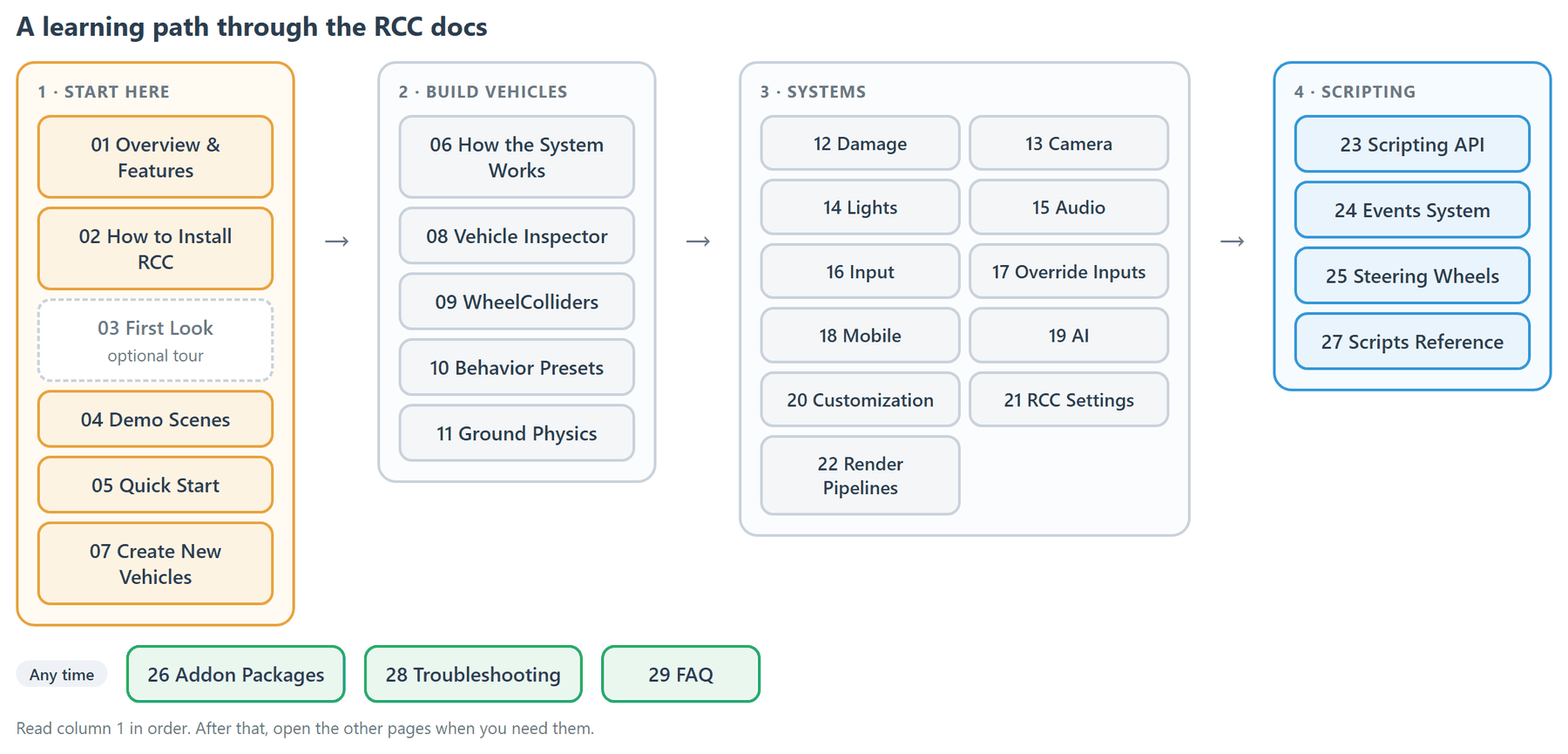
Getting Started
- 01 Overview & Features: what RCC is, what it includes, what it needs, and what changed in V6.0.0.
- 02 How to Install RCC: installing, what RCC sets up on first import, upgrading from V5.x, and removing RCC.
- 03 First Look: the folders, settings assets, first prefabs, Tools menu and Welcome Window.
- 04 Demo Scenes: every demo scene, what it shows, what to try and which scripts to read.
- 05 Quick Start: play a demo, drive a demo car in your own scene, spawn a car from code, add an AI car.
Building Vehicles
- 06 How the System Works: how RCC's components, update loop, player registration and settings fit together.
- 07 How to Create New Vehicles: turn your own 3D car model into a drivable vehicle, with the wizard or by hand.
- 08 Vehicle Inspector Reference: every setting in the
RCC_CarControllerV4Inspector. - 09 How WheelColliders Work: how RCC drives Unity's WheelCollider, the RCC Wheel Collider inspector and flat tires.
- 10 Behavior Presets: the five shipped presets (Balanced, Racing, Drift, Semi Arcade, Fun) and how to switch them.
- 11 Ground Physics: grip, sounds, particles and skidmarks per surface, on meshes and Unity Terrain.
Systems
- 12 Damage System: mesh deformation, wheel damage, breakable lights, detachable parts and repair.
- 13 Camera System: the RCC Camera, its six modes, orbit, occlusion, and hood and wheel cameras.
- 14 Lights System: adding vehicle lights, light types, lens flares per pipeline and breakable lights.
- 15 Audio System: engine, gear, crash, wind, NOS, turbo and tire sounds, and the settings that change them.
- 16 Input System: how input reaches a vehicle, the full controls table, rebinding and reading inputs.
- 17 How To Override Inputs: drive a vehicle from your own script and which input source wins.
- 18 Mobile Setup: touch controls, the four controller types and the V6 platform sync.
- 19 AI System: the AI driver, its navigation modes, waypoints and brake zones.
- 20 Customization: paint, wheels, spoilers, sirens, decals, neons, upgrades, tuning and saving.
- 21 RCC Settings: every section of the global RCC Settings asset with its shipped value.
- 22 Render Pipelines: setting up RCC for URP or HDRP with the Render Pipeline Converter.
Scripting
- 23 Scripting API: the static
RCCclass and the most useful vehicle and Scene Manager members. - 24 Events System: every
RCC_Eventsevent, who raises it and when. - 25 Steering Wheels: the Logitech G920 bindings, other wheels, steering feel and H-pattern shifters.
- 27 Scripts Reference: every C# script in RCC, grouped by folder, with a one-line description.
Reference & Help
- 26 Addon Packages: installing, using and removing the Photon PUN 2 and Enter / Exit addons.
- 28 Troubleshooting: symptoms, causes and fixes.
- 29 FAQ: short answers to common questions.