Procedurally generate GUISkin textures for Editor tools. Buttons, toggles, fields, sliders & more with gradients, shadows, AA. Generate professional editor themes in seconds.
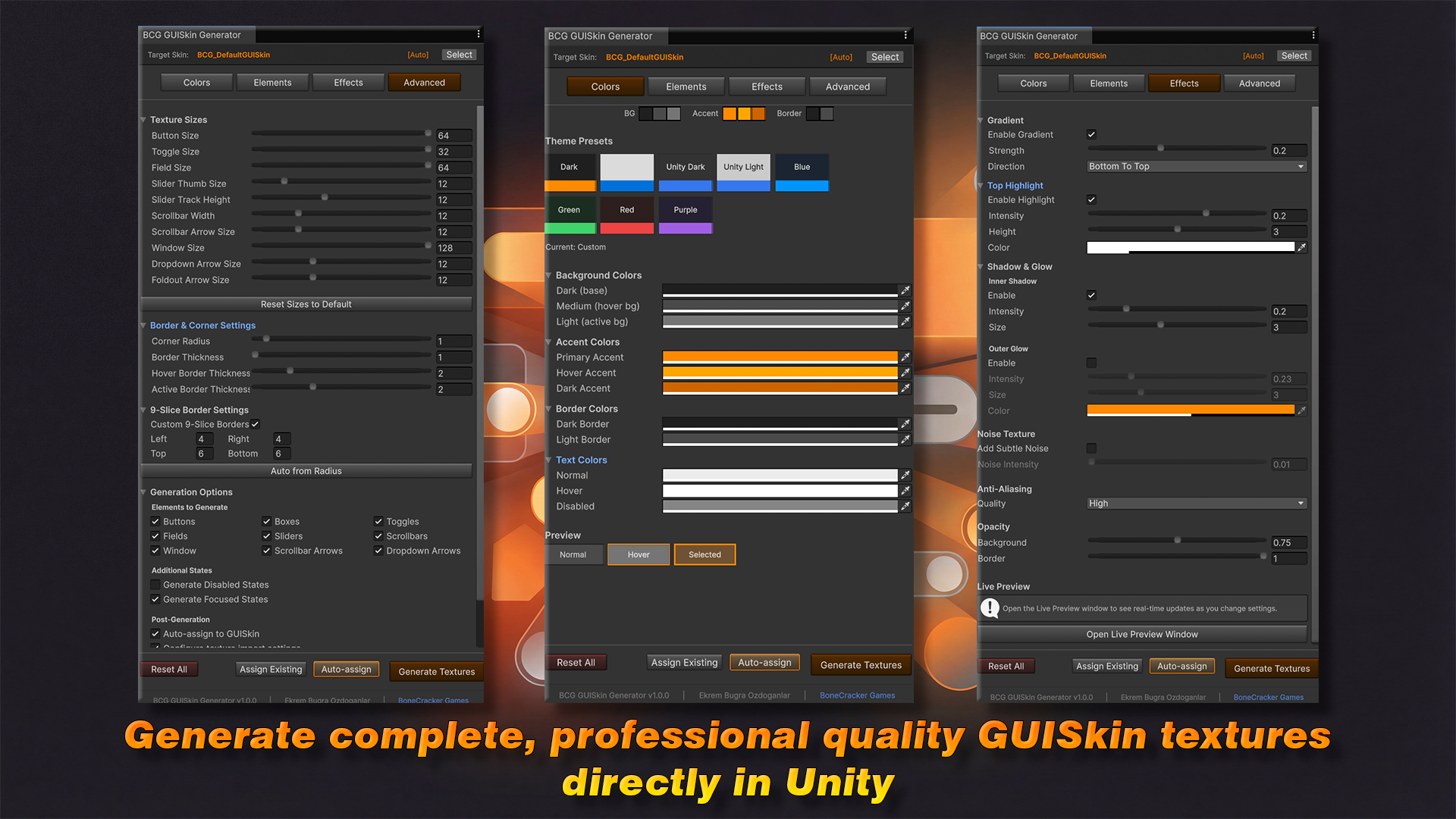
Generate professional editor themes in seconds. Creating custom GUISkin textures for your Unity Editor tools is tedious. You need multiple textures for every control state, perfect rounded corners, consistent colors, and proper 9-slice borders. That's hours of work for each theme.
GUISkin Texture Generator solves this. Generate complete, professional quality GUISkin textures directly in Unity. No external tools required.
🚀 Get Started in 3 Steps
-
Open — Tools → BoneCracker Games → GUISkin Texture Generator
-
Customize — Choose colors, effects, and styles
-
Generate — Click "Generate Textures" and you're done
🎨 Complete Texture Generation
-
Buttons — Normal, Hover, Active, Selected, and Disabled states
-
Boxes — Normal, Hover, and Focused states
-
Toggles — On/Off with multiple indicator styles
-
Text Fields — Normal, Hover, Focused, and Disabled states
-
Sliders — Track, Thumb (all states), and Filled Track option
-
Scrollbars — Track and Thumb with multiple styles
-
Windows — With optional title bar and drop shadow
🖌️ Professional Effects
-
Rounded Corners — Adjustable radius (0-16px)
-
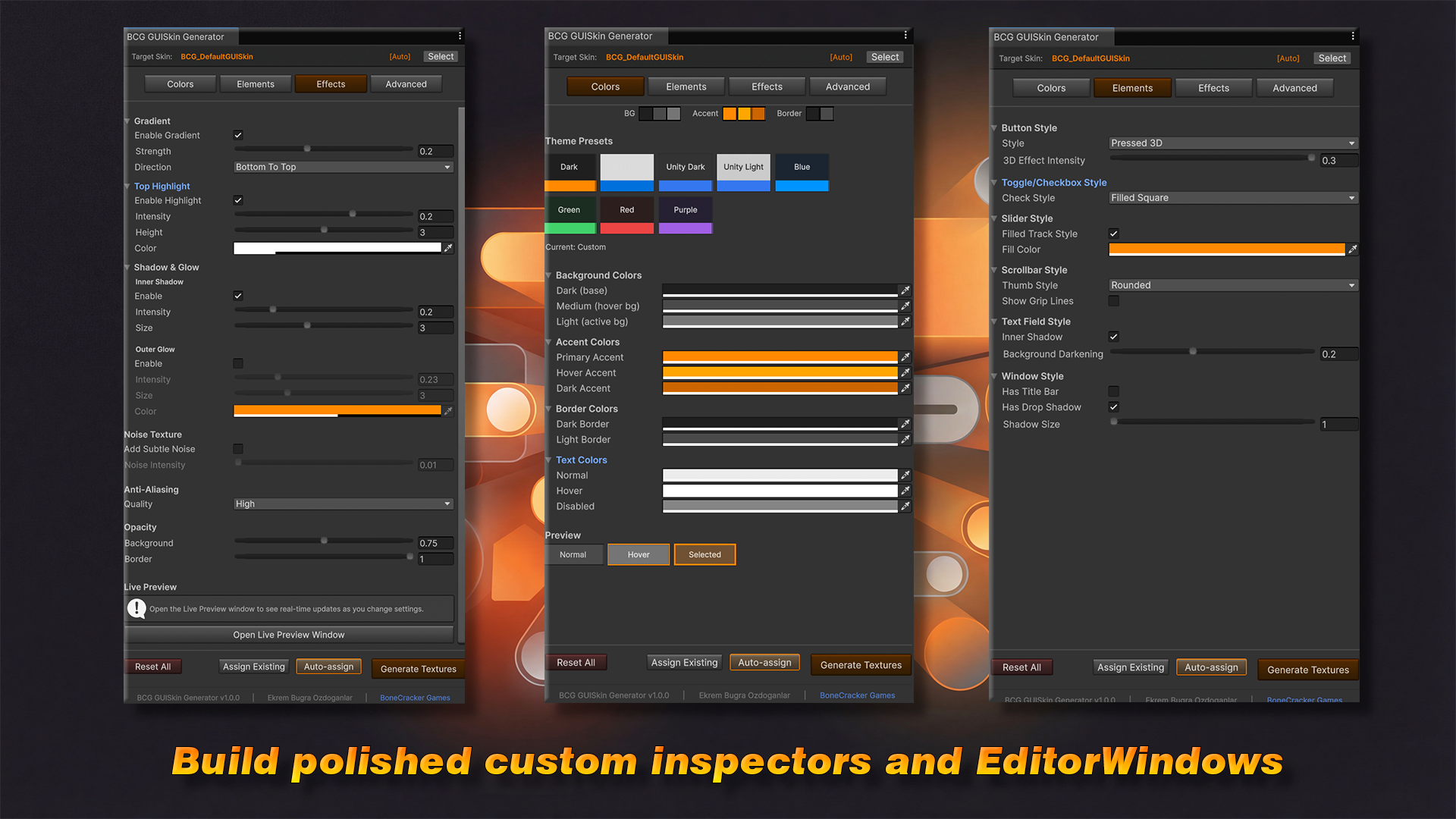
Gradients — 4 directions with adjustable strength
-
Anti-Aliasing — 4 quality levels for smooth edges
-
3D Effects — Raised, Flat, and Pressed button styles
-
Inner Shadows — Inset effect for fields and boxes
-
Outer Glow — Highlight effect for hover states
-
Top Highlights — Subtle shine effect
-
Noise Texture — Optional subtle texture overlay
⚙️ Element Styles:
-
Toggle indicators: Checkmark, Filled Square, Circle, Cross
-
Button styles: Flat, Raised, Pressed 3D
-
Scrollbar thumbs: Rounded, Square, Pill
-
Scrollbar grip lines: Optional with adjustable count/spacing
-
Window title bar: Optional with custom height and color
🎛️ Fine-Tuned Control:
-
Border thickness per state (Normal/Hover/Active)
-
Background and border opacity
-
Custom 9-slice border configuration
-
Individual texture size settings
💾 Preset System
-
Save/Load — EditorPrefs persistence
-
Export/Import — JSON format for sharing
-
Quick Reset — Restore defaults instantly
⚡ Streamlined Workflow
-
Auto-Import — Configures texture import settings automatically
-
Auto-Assign — Assigns generated textures to your GUISkin
-
Live Preview — See color palette and button preview in real-time
-
Progress Bar — Visual feedback during generation
-
Overwrite Protection — Optional overwrite confirmation
🎯 Perfect For
-
Asset Publishers — Create consistent, professional Editor UIs for your assets
-
Tool Developers — Build polished custom inspectors and EditorWindows
-
Teams — Share theme presets via JSON for consistent styling
-
Rapid Prototyping — Generate placeholder themes instantly
❓ FAQ
-
Q: Does this work with UI Toolkit / USS?A: This tool generates textures for IMGUI GUISkins (.guiskin files). It does not generate USS styles.
-
Q: Can I use generated textures commercially?A: Yes! All generated textures are yours to use in any project, including commercial products.
-
Q: Does it work with dark and light Editor themes?A: Yes. You can create themes for either Editor theme. The preview helps you visualize your colors.
-
Q: Can I modify generated textures afterward?A: Absolutely. Textures are saved as standard PNG files that you can edit in any image editor.